
In a world where stress lurks around every corner and the news cycle is about as comforting as a soggy sweater, cozy games have become our digital refuge. They’re more than just cute farming sims and pixelated pets — they’re sanctuaries for the weary, the anxious, and the overwhelmed, offering an oasis of calm amid life’s daily hurricanes. When the weight of the world feels like too much to bear, these games beckon us to slow down, breathe, and tend to our digital gardens — or our digital goats, if that’s your thing.
Cozy games don’t ask us to conquer galaxies or battle dragons (unless the dragons are surprisingly friendly). Instead, they invite us to cultivate connection, creativity, and comfort in gentle, often whimsical worlds. They’re the digital equivalent of curling up with a good book, warm slippers, and the reassurance that everything will be okay — or at least, that the chickens will be fed and the crops will be watered.
But what exactly makes a cozy game the ultimate emotional support system? Is it the soothing art style, the ambient soundtrack, the kind-hearted NPCs, or the steady, predictable rhythm of gameplay? And, crucially, how accessible are these pixelated havens for players of all abilities and experiences? After all, comfort shouldn’t be gated behind a paywall of privilege or a labyrinth of difficult controls.
Let’s embark on a journey through pixels and pastures, exploring the best cozy games out there — and taking a close look at how they nurture our minds, calm our spirits, and welcome everyone to the cozy revolution.
What Makes a Game Cozy?

Cozy games are built on gentle gameplay, warm aesthetics, and an invitation to slow down. They’re the digital equivalent of a soft blanket and a steaming mug of tea. From tending a farm to brewing potions, cozy games offer low-stakes, feel-good experiences — no high-speed chases, no gritty realism, just gentle vibes and pixelated comfort.
But here’s the twist: what defines cozy can be as subjective as someone’s favorite blanket. While many find Stardew Valley to be the pinnacle of cozy gaming, with its charming pixel art and idyllic farming life, I personally find it more frustrating than comforting — the combat feels jarring, the frantic pace of the day leaves me frazzled, and that ever-dwindling stamina bar? A cruel taskmaster in an otherwise gentle world. It’s a stark reminder that even in games designed to soothe, what feels cozy to one person might feel like a to-do list to another.
This subjectivity is at the heart of cozy gaming. For some, cozy means serene exploration; for others, it’s a steady rhythm of tasks that feel almost meditative. Some want a cottagecore fantasy with no stakes, while others find comfort in a little challenge — a sprinkle of spice in an otherwise sweet brew.
Ultimately, cozy games create spaces where players can feel at ease, whatever that might mean for them. Whether it’s pottering around an island paradise, brewing potions in a magical cottage, or even wrangling a pixelated herd of cows, these games provide moments of peace and pockets of joy in a world that doesn’t always offer either.
The Role of Accessibility
But coziness isn’t just about gameplay — it’s about making sure everyone can participate. Accessibility in video games means more than just adding a few toggles; it’s about designing an experience that ensures players of all abilities and backgrounds can join the fun, find comfort, and feel at home in these virtual worlds. Whether it’s customizable controls for players with mobility challenges, text scaling for those with visual impairments, colorblind modes, or even the option to play at your own pace, these features are fundamental to making cozy gaming a truly inclusive haven.
After all, if cozy gaming is about comfort, it must be inclusive comfort — it’s not cozy if it leaves anyone out. Accessibility isn’t a bonus feature; it’s the heart of what makes cozy gaming meaningful. A game that’s soothing for some but exhausting or overwhelming for others isn’t fulfilling its cozy promise.
Accessibility often blends seamlessly with the philosophy of cozy games themselves. Games that let you customize your pace, skip combat altogether, or focus on farming and fishing without pressure already lean towards accessibility by design. But there’s always room for improvement: clear menus, subtitle options, control remapping, and thoughtful visual design can transform a cozy game from “pretty good” to “truly welcoming.”
As cozy games continue to evolve, it’s exciting to see more developers embracing accessibility as a core part of their design — not an afterthought. Because everyone deserves to find a digital safe haven that feels as cozy as their favorite sweater on a rainy day.
Criteria for Being Included on the List

For this list, I considered more than just which game had the cutest chickens or the fluffiest pixelated sheep. Cozy games are an intricate blend of design choices, personal feelings, and inclusivity. Here’s how we evaluated the emotional support potential of these digital sanctuaries:
Emotional Support Factor
At the core of any cozy game is its ability to soothe the soul. Does it offer a warm, inviting atmosphere? Can you lose yourself in the gentle flow of tasks and community? Or does it feel more like a chore list dressed up in cute pixels?
Replayability
A cozy game that fades after a single play session isn’t much of a refuge. I looked for games that invite you back again and again — not because you have to, but because you want to. Games that evolve, games that let you make them your own, and games that feel like home every time you return.
Visual and Auditory Vibe
Cozy isn’t just what you do in the game, it’s what you see and hear. Soft colour palettes, relaxing music, ambient sounds that wrap around you like a woolly scarf — these elements are crucial. The art and audio must work together to create an atmosphere of calm and joy.
Opportunities for Gentle Escapism
I also considered whether the game offers that sweet sense of leaving the real world behind. Does it let you forget your worries, even for a moment? Can you sink into its world without fear of timers, enemies, or endless checklists? A truly cozy game makes the digital feel safer and kinder than the real.
Accessibility — because cozy games should be for everyone!
Finally, the most crucial point: is this experience truly welcoming to everyone? Cozy gaming is built on the idea of comfort and ease, and that means making sure every player — regardless of physical, sensory, or cognitive ability — can access that warmth. Games that prioritize accessibility aren’t just better for those who need it — they’re better for everyone.
The Games
1. Animal Crossing: New Horizons
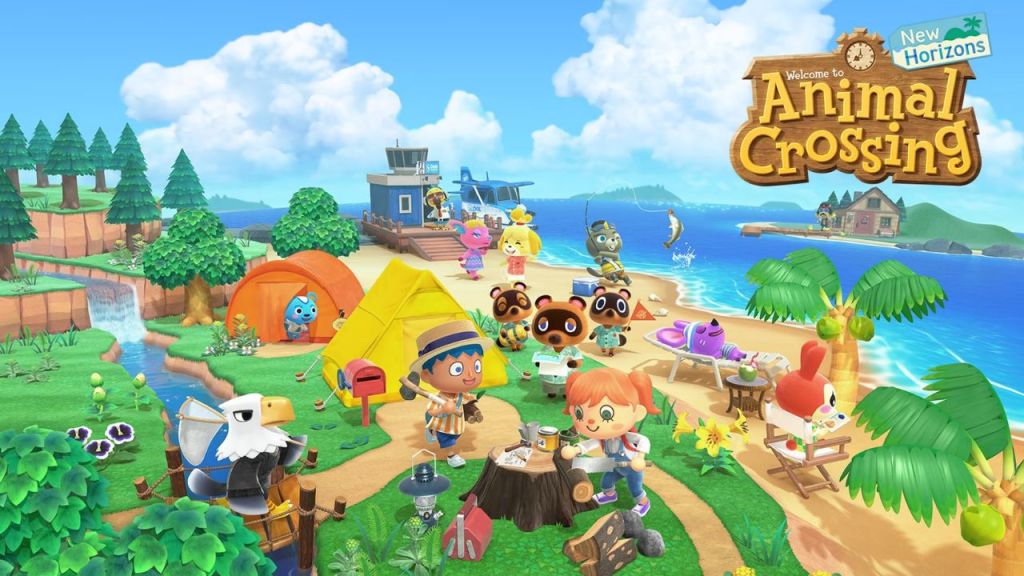
A cozy classic that has captured the hearts (and many, many hours) of players around the world. In Animal Crossing: New Horizons, you’re dropped onto a deserted island with nothing but a tent and a dream — and perhaps a mild suspicion that Tom Nook’s mortgage scheme is a bit of a racket. From there, it’s up to you to build a paradise that’s uniquely yours. Spend your days fishing, planting flowers, rearranging furniture to your heart’s content, or simply watching the waves roll in.
Why It’s Cozy
Animal Crossing is the digital equivalent of a deep sigh of relief. No deadlines, no looming stress — just a slow, easy rhythm of life where you decide what matters most. Whether it’s chatting with your animal neighbors, catching fireflies on a summer night, or crafting the perfect zen garden, everything in this game is designed to make you feel at ease. And, of course, there’s always the gentle mystery of why Tom Nook needs so many bells. Is he building an empire? Or is he secretly funding an elaborate raccoon utopia? We may never know — but we’ll keep fishing and decorating while we ponder it!
Accessibility Highlights
- Excellent text readability with clear fonts and good contrast, making it easier to read dialogue and menus.
- Simple, intuitive controls that are easy to master, whether you’re using handheld mode or docked on the big screen.
- Flexible pace — you can play for five minutes or five hours, with no pressure to rush or keep up with anyone else’s timeline.
- No reaction-based challenges — no combat, no stressful timers, just gentle activities you can do at your own speed.
- Visual clarity in the colorful, charming art style that’s easy on the eyes and minimizes sensory overload.
- Relaxed auditory environment — the calm background music and natural sounds are soothing and non-intrusive, supporting players who may find sudden, loud noises overwhelming.
- Replay-ability -With seasonal events, real-time progression, and endless decorating possibilities, Animal Crossing offers nearly infinite replayability — every island is a new canvas.
Areas for Improvement
While Animal Crossing: New Horizons is a beautifully cozy and accessible game in many respects, there are still areas where it could be more inclusive:
- The game lacks text scaling options or font size adjustments, which can make dialogue and menus difficult to read for players with visual impairments or dyslexia.
- Colourblind mode support is missing, so certain color-coded elements (like the fish shadow sizes or seasonal colour palettes) might be harder to distinguish for some players.
- While the controls are simple and intuitive, the game doesn’t offer full button remapping, limiting accessibility for players who rely on customized input layouts.
- Some menus and crafting screens can feel a bit busy or cluttered, particularly for players who are neurodivergent or have processing challenges. A more streamlined or simplified interface option would be a welcome addition.
- The game also lacks a text-to-speech option, which could help players with reading challenges or visual impairments enjoy the gentle conversations with their villagers.
Among cozy giants, Animal Crossing remains a gold standard for emotional support — and while it nails the “no stress, no combat” vibe, its accessibility features lag behind newer titles. It has clear text and intuitive controls, but no options for text scaling, colorblind assistance, or text-to-speech. Compared to games like Disney Dreamlight Valley or Wylde Flowers, it feels like it’s just now waking up to the accessibility conversation.
Animal Crossing’s gentle pacing, relaxing music, and low-pressure environment make it a welcoming and comforting experience for many. But adding these improvements would make this digital sanctuary even more inclusive — ensuring everyone can find a cozy home on their island paradise.
2. Stardew Valley

Pixel farming never looked so good. In Stardew Valley, you inherit a run-down farm and set out to build a new life among warm pixel sunsets, endless fields, and an endearing cast of small-town characters. There’s something timeless and soothing about the gentle rhythm of planting seeds, harvesting crops, and sharing the occasional jar of jam with your neighbors. And, of course, a dash of pixelated romance if you’re feeling extra flirty.
Why It’s Cozy
Stardew Valley is often hailed as the ultimate cozy game, with its community events, homey farmhouse vibes, and the sweet friendships you build along the way. Even the satisfying “thunk” of a watered crop feels like a warm hug for your soul. It’s a digital world where the worries of real life melt away, replaced by endless opportunities to plant, nurture, and grow — both in the fields and in your friendships.
But It’s Also Controversial
For many, Stardew Valley is the definition of cozy. But here’s the twist: what feels cozy to some can feel stressful to others. Players like me sometimes find the stamina bar limiting, the lack of explanations overwhelming, and the ticking clock of the in-game day downright anxiety-inducing. There’s no shame in admitting that cozy, like beauty, is in the eye of the beholder — and Stardew Valley’s brand of “gentle” may not be one-size-fits-all.
Accessibility Highlights
- Chill pace and flexible goals (for some) help many players tailor the experience, but those same mechanics can be a source of stress for others.
- The modding community has stepped up with text-size mods to improve readability, though official support for features like text scaling and control remapping would be a welcome improvement.
- Minimal reaction-based gameplay makes it friendly for players who want to avoid twitchy combat, and you can largely skip the mines if you prefer.
- Optional combat and flexibility in how you spend your time give you freedom to play in the way that feels right to you — though some players (like me!) still wish the stamina bar would take a nap already!
- Replay-ability Stardew’s multiple farm layouts, relationship options, and modding community make it one of the most replayable cozy games ever created.
Areas for Improvement
While Stardew Valley has become a beloved cozy classic, there are still ways it could be even more inclusive and comfortable for all players:
- Text scaling is not natively supported, which can make reading dialogue, menus, and tooltips challenging for players with visual impairments. While there are community mods that adjust text size, an official option would make the experience more universally accessible.
- Full button remapping isn’t available in the base game, limiting flexibility for players who rely on customized control schemes.
- Some players find the lack of clear in-game tutorials stressful — while this open-endedness can feel liberating for some, for others it creates a sense of confusion or pressure that runs counter to cozy gaming’s core philosophy.
- The stamina bar and day timer can add stress for players who prefer a more leisurely pace. Options to adjust or disable these features would make the game even more welcoming to those who find these mechanics overwhelming.
- The game does not offer colourblind modes or high-contrast UI options, which can impact how well players can distinguish important elements, especially during festival events or in the mines.
Often crowned the king of cozy, Stardew is both beloved and polarizing. While the community adores its charm, it lacks formal accessibility tools — no text scaling, no control remapping, no in-game speed adjustment. Mods have filled in some gaps, but compared to games like Sun Haven or Fields of Mistria, it can feel demanding and inflexible without technical workarounds. Despite these quirks, Stardew Valley remains a beloved cornerstone of cozy gaming. And maybe that’s part of the charm — it sparks conversations about what “cozy” really means, and how that changes from person to person.
3. Fantasy Life i
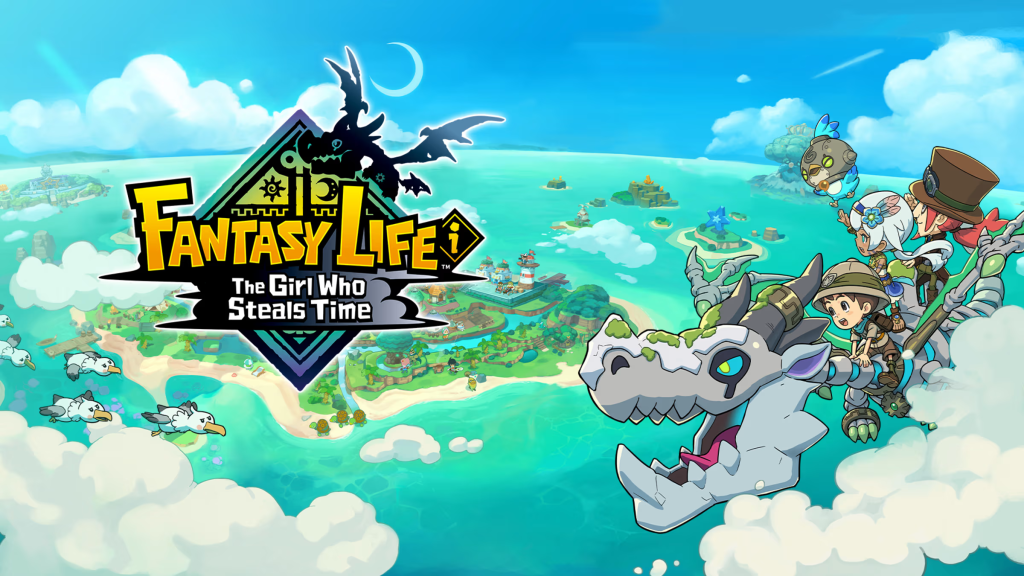
A charming RPG where you can choose your life path — become a paladin by morning, a tailor by lunch, and a cook by dinner. It’s a delightful hybrid of gentle adventuring and life simulation, letting you shape your story one relaxed quest at a time.
Why It’s Cozy
Unlike other cozy games focused solely on farming or crafting, Fantasy Life i carves out its own identity. It’s not a farming sim — it’s a cozy RPG that says, “Want to be a wizard and a chef? Go for it!” Sure, there are battles, but they’re easygoing and optional, never feeling like they’re pushing you too hard. This is a game about discovering who you want to be — in a world where you’re always welcome, no matter how many times you change your mind.
Accessibility Highlights
- Simple, easy-to-follow controls make switching between roles and quests smooth and stress-free — no need for fast reflexes or tricky button combos.
- Flexible combat lets you adjust the challenge level however you like. Want to steamroll everything? Overlevel your character lives until even the mightiest monsters feel like a warm-up act. Prefer to play at the designed pace? Pay attention to those recommended engagement levels and tackle each quest with care. Feeling extra spicy? Under level yourself for a strategy-rich battle with tougher foes. There is also a feature that when you die your party can help revive you, or you can flee.
- Control remapping is available for many core actions, helping players adjust input to suit their comfort and accessibility needs. However, some actions (like “special attack” or “summon mount”) may not be fully remappable, so there’s room for improvement here.
- The game’s map-as-a-guide feature is a blessing — especially for those of us who spend more time lost than questing (guilty as charged!). It transforms the sprawl of the world into a cozy, navigable adventure, turning what could feel overwhelming into a gentle journey of discovery.
- Tutorials are optional and offered with a kind hand: dive deep if you want to learn every mechanic, or skip them entirely if your brain’s already full (I see you, fellow neurodivergent players!).
- And here’s a tiny but mighty detail: the default character name. For those of us who freeze up at the first sign of a blank name box, this small kindness says, “Relax, you don’t need to have it all figured out right now.”
- The bright, colourful art style is a balm for the eyes — vibrant but never overwhelming, lending itself to hours of gentle play without visual fatigue.
- Replay-ability Its dozen+ life classes, branching skills, and the ability to switch between roles at will gives Fantasy Life solid long-term appeal, though it leans more toward completion than true replay.
For all these reasons, Fantasy Life i stands out as a game that doesn’t just include players like me — it genuinely welcomes us. It’s proof that cozy can live at the crossroads of RPG adventure and gentle simulation, creating a world where everyone, no matter their abilities or preferences, can find a place to belong.
Areas for Improvement
While Fantasy Life i offers a charming, laid-back RPG experience with cozy life-sim elements, there are a few accessibility areas where it could do better:
- Text scaling options are missing, which can make dialogue and menus tricky for players with visual impairments. Having the ability to adjust font size or text contrast would be a huge improvement.
- Expanded Control Remapping, Ensuring all in-game actions are fully remappable across all platforms would greatly benefit players who rely on customized control schemes.
- The game could benefit from more visual and auditory customization — like colourblind-friendly indicators or audio cues — to help players with sensory sensitivities enjoy the game’s bright, busy world more easily.
- Camera Control Options, Providing alternative camera control methods, especially for PC users, would improve the user experience.
- Colourblind and High-Contrast Modes, Implementing these modes would assist players with colour vision deficiencies or those who require higher contrast for better visibility.
- Lack of a text-to-speech option can be a barrier for players with reading challenges or visual impairments, particularly since the game has a lot of quest dialogue and character interactions.
This RPG-life sim hybrid is more laid-back than most combat-inclusive games, with flexible gameplay and a soft learning curve. But when compared to others on this list, Fantasy Life i is behind in accessibility: no text scaling, colorblind features, or text-to-speech, and only partial control remapping. Its strengths lie in gameplay diversity, not UI design.
By addressing these areas, Fantasy Life i can further its commitment to inclusivity, ensuring a more comfortable and enjoyable experience for all players. Fantasy Life i still shines as a gentle RPG that respects different learning and playing styles. It’s a game that wants to be everyone’s cozy playground — and with a few thoughtful tweaks, it could open its doors even wider to players of all abilities.
4. Disney Dreamlight Valley

Disney magic meets cozy farming — a charming blend of friendship, fishing, and a suspiciously high number of conversations with talking animals. Spend your days chatting with Goofy, fishing with Donald, cooking with Remy, and decorating your dream town until your inner interior designer does a little happy dance.
Why It’s Cozy
This is comfort food in game form. Familiar Disney faces, bright colors, and endless opportunities to quest, garden, or just vibe with your favorite childhood characters. There are no looming deadlines or high-stakes challenges here — just a steady stream of magical to-dos that feel more like sweet daydreams than actual tasks. It’s the sort of game where you can put on your comfiest hoodie, sink into your couch, and escape into a world where the biggest problem is deciding whether to upgrade Mickey’s house or your wardrobe.
Accessibility Highlights
- UI scaling and customizable controls make the game adaptable for different comfort levels and abilities, allowing you to tweak your setup to your heart’s content.
- The bright, clean visuals are colorful without feeling overwhelming, creating a friendly, readable world that’s easy on the eyes.
- Adjustable text size ensures that dialogue with your favorite Disney pals stays clear and readable, especially for players with visual challenges.
- Quest tracking and map markers help you stay oriented without feeling lost in the Magic Kingdom’s endless possibilities — perfect for players who, like me, have the navigational skills of a confetti cannon.
- Gentle gameplay pacing means you can approach each day at your own speed. There’s no penalty for stopping to smell the digital roses (or, more accurately, to rearrange the roses in Mickey’s garden for the 14th time).
- The absence of real combat keeps things cozy — you’re more likely to be helping Donald find his lost fishing rod than fending off an evil sorcerer.
- Calm audio design — upbeat yet gentle Disney tunes that add to the warm, nostalgic atmosphere without causing sensory overload.
- Replay-ability here comes from ongoing content updates and story quests — once you’ve unlocked everything, the day-to-day rhythm slows down, but decorating and character interactions keep players returning.
Areas for Improvement
While Disney Dreamlight Valley offers a delightful and cozy experience, there are areas where accessibility could be enhanced.
Notably, the game currently lacks text-to-speech functionality for on-screen text, which can pose challenges for players with visual impairments or reading difficulties.
Additionally, the absence of high-contrast mode and colourblind-friendly options may affect the experience for some players.
Implementing these features would make the game more inclusive and enjoyable for a broader audience.
Disney’s cozy entry brings thoughtful accessibility improvements to the genre, including partial text scaling and full control remapping — rare among peers. It holds its own among titles like Wylde Flowers and PowerWash Simulator, though still lacks features like text-to-speech and full font customization. A strong contender making visible progress.
5. Dinkum

A cozy Aussie outback adventure that lets you live your best laid-back bush life — plant crops, fish for days, and maybe wrestle a croc if you’re feeling brave (or foolhardy). It’s a charming take on survival gaming that trades stress for a sun-soaked, rustic vibe.
Why It’s Cozy
Dinkum’s magic lies in its easygoing take on wilderness living. Instead of a race against time, it’s an invitation to slow down, explore, and build the outback paradise of your dreams. The wildlife is charming, the villagers are full of personality, and the sunrises? Pure digital poetry. There’s no pressure to become the next bush ranger legend — you can build, farm, and fish at your own pace, making this a cozy refuge with an Aussie twist.
Accessibility Highlights
- Controller support offers flexibility in how you play — whether you’re chilling on the couch or perched at your desk.
- Adjustable camera angles help you find the perfect perspective and reduce motion discomfort while you’re navigating the great outdoors.
- Gentle progression means you’re never locked into a playstyle you don’t like — there’s always something to do that feels chill.
- No hard time limits — the day flows at a relaxed pace, so you can explore, farm, or fish without feeling rushed. While there is a day and night cycle it is long enough that I have never felt rushed or run out time. You also don’t pass out at the end of the night, it simply changes over to “late night” mode where you have less energy. If you have small items like apples or bananas it is fairly easy to continue with mundane tasks before bed.
- Simple UI and colourful visuals create a welcoming environment that’s easy on the eyes, reducing sensory overload and making it easier to track your tasks.
- Community-driven updates (so far) suggest a dev team that’s paying attention to player feedback, with tweaks and patches aimed at improving the cozy experience for everyone.
- Replay-ability Map randomization, multiplayer flexibility, and a massive variety of activities make Dinkum one of the most replayable open-ended life sims out there — you’re never stuck in one playstyle.
Areas for Improvement
While Dinkum is a delightfully cozy romp through the outback, there’s one big accessibility feature that would make it even more welcoming: the ability to turn off animal aggression entirely. As it stands, while combat is pretty mild, some animals will still charge at you if you wander too close — not exactly the best vibe when you’re just trying to fish in peace! For players who’d prefer pure farming and cozy crafting, an option to turn off hostile animal behavior would be a game-changer.
Other areas where Dinkum could grow include:
- Lack of text scaling options for dialogue and menus, which could be tricky for players with visual impairments.
- No colourblind mode or high-contrast options, making some color-coded tasks (like farming plots and item sorting) harder to parse for those with color vision deficiencies.
- Partial control remapping — while you can use a controller, full input customization isn’t yet in place, which can be limiting for some players.
Dinkum delivers a chill outback vibe with flexible camera controls and full remapping, but it’s rough around the edges accessibility-wise. No text scaling, colorblind options, or audio alternatives make it more demanding than it looks. Compared to Sun Haven or Garden Paws, it feels more rustic than refined. Dinkum’s relaxed outback charm and player-friendly updates show a lot of promise for an even cozier future. Whether you’re fishing at dawn, planting a gum tree forest, or just watching the sun set over your growing homestead, this is a game that welcomes you in — and makes sure you know you belong there.
6. Fields of Mistria

A fresh face in the cozy farming sim world, Fields of Mistria invites you to swap your hoe for a wand and your standard crop rotation for a magical twist. And here’s my honest take: Fields of Mistria is everything I wanted Stardew Valley to be (sorry, I know them’s fighting words!). It’s cozy, it’s charming, and it has just enough fantasy to keep every day feeling like a little bit of wonder.
Why It’s Cozy
Imagine the comfort of tending your fields and chatting with your neighbors, but with a sprinkle of spells and a world that’s just a touch more whimsical. There’s no rush to save the world — your main quest is to settle in, explore, and make this enchanting little town your own. Every sunrise feels like an invitation to find your groove, whether you’re brewing potions, befriending villagers, or just sitting by the river watching the magic of the world unfold.
Accessibility Highlights
- Control remapping is available for many actions, helping players customize the controls to suit their comfort and needs — though some stability issues have been reported when remapping keys, so there’s still room for refinement.
- Adjustable camera and in-game scale let you tailor the view to your liking, reducing motion discomfort and making the world feel more welcoming.
- Weather particle adjustments help reduce visual clutter (like rain and snow), a small but important tweak for sensory comfort.
- Day length customization allows players to adjust the in-game day duration to suit their preferred pace. As of the v0.13.0 update, you can choose between Standard (approximately 12.5 minutes), Longer (around 14 minutes), and Longest (about 15 minutes) day lengths. This feature can be accessed in the Accessibility settings and takes effect after the player sleeps in-game.
- Bright, colorful visuals and clear, inviting UI elements make this world feel easy on the eyes — perfect for hours of gentle exploration.
- Future updates teased by the devs include text scaling and colorblind modes — a promising sign of a team that’s listening and evolving.
- Replay-ability Still early, but with its magical world, future updates, and the promise of narrative branching, Fields of Mistria seems poised for strong replay value once it’s fully fleshed out.
Areas for Improvement
While Fields of Mistria is already weaving magic for cozy gamers, there are a few areas that would make it even more accessible and inclusive:
- Visual accessibility features like colorblind modes and high-contrast options would be a welcome addition to ensure no detail gets lost for players with color vision challenges.
- Text scaling for dialogue and menus would make reading easier for players with visual impairments.
- Text-to-speech support is currently missing, limiting access for players with reading difficulties or low vision.
- Full control remapping stability needs some love — ensuring that every action can be tweaked without breaking the rest of the control scheme would help players feel fully at home.
Still in development, Fields of Mistria is one of the few games on this list openly prioritizing accessibility in future updates. Promises of text scaling and colourblind modes suggest awareness — something many released games still lack. It has a chance to leapfrog others if the devs deliver on their inclusive goals. Fields of Mistria already feels like a gentle revolution in cozy farming sims. It’s a world where magic is as common as watering cans, and the only real quest is to find your own little patch of peace. Cozy, welcoming, and always ready to meet you where you are — even if you’re still trying to figure out where that is.
7. Sun Haven
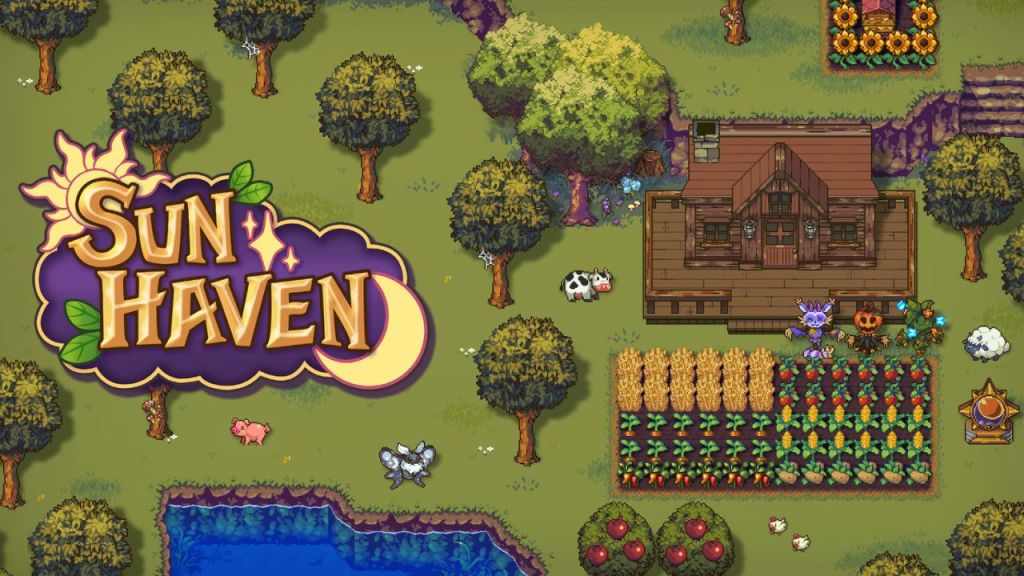
A magical farming sim that blends the charm of Stardew Valley with the fantasy flair of Dungeons & Dragons. In Sun Haven, you’re not just tending crops—you’re casting spells, befriending dragons, and exploring enchanted realms.
Why It’s Cozy
Sun Haven offers a rich tapestry of activities: from farming and fishing to spell-casting and dragon-taming. Its pixel art style is vibrant and inviting, creating a world that’s both relaxing and full of wonder. The game’s flexibility allows you to engage with its systems at your own pace, making it a perfect sanctuary for those seeking a personalized cozy experience.
Accessibility Highlights
- No stamina bar Engage in activities without the worry of exhaustion, allowing for uninterrupted exploration and farming.
- Adjustable day length Customize the in-game day duration to 15, 20, 30, or 40 minutes, tailoring the game’s pace to your preference.
- Invincibility mode Toggle an option to become invincible, reducing the stress of combat and allowing for a more relaxed gameplay experience.
- Seasonal bosses Choose to disable seasonal bosses in the settings, minimizing unexpected challenges and maintaining a peaceful environment.
- Controller support Play using a controller, offering flexibility and comfort for different playstyles.
- Replay-ability With romance choices, multiple towns, class paths, and the ability to play co-op or solo, Sun Haven offers robust replay potential, especially if you enjoy tweaking your approach each time.
Areas for Improvement
While Sun Haven excels in many areas, there are aspects that could enhance its accessibility:
- Text scaling Currently, there’s no option to adjust text size, which may pose challenges for players with visual impairments.
- Colourblind options Implementing colourblind modes would assist players who have difficulty distinguishing certain colours, enhancing overall gameplay clarity.
- Comprehensive key remapping While controller support exists, offering full key remapping would provide greater accessibility for players with specific input needs.
Sun Haven quietly raises the bar. With no stamina bar, optional combat, adjustable speed, and invisibility mode, it understands how to keep the cozy in cozy. While it lacks built-in text scaling or text-to-speech, it’s a shining example of player-controlled difficulty and play style flexibility — a leader in the space, accessibility-wise. Sun Haven stands as a beacon in the cozy gaming landscape, offering a magical escape that’s both inclusive and enchanting.
8. Wylde Flowers

A cozy witchy farm sim that blends magic, community, and heartfelt storytelling. In Wylde Flowers, you step into the shoes of Tara, a young woman discovering her magical heritage while tending to her grandmother’s farm.
Why It’s Cozy
Wylde Flowers offers a unique blend of farming, spellcasting, and relationship-building in a charming seaside town. The game’s fully voice-acted cast brings depth to its diverse characters, making every interaction feel personal. With no combat and a focus on narrative, it’s like a warm cup of tea with a sprinkle of witchy sparkle.
Accessibility Highlights
- Fully voice-acted dialogue Reduces reading strain and enhances immersion, especially beneficial for players with visual impairments or reading difficulties.
- Large subtitles and text Ensures readability across various devices and screen sizes.
- Configurable controls Supports various input methods, including keyboard, mouse, touch, and controllers, catering to different playstyles and accessibility needs.
- Low-pressure gameplay No combat or time-sensitive challenges, allowing players to progress at their own pace.
- Adjustable game speed Players can modify the speed of in-game activities, tailoring the experience to their comfort level.
- Replay-ability Its linear-ish story and strong narrative focus give Wylde Flowers a memorable first experience — but with limited divergence, replayability is lower compared to sandbox-style cozy games.
Areas for Improvement
While Wylde Flowers excels in many areas, there are aspects that could enhance its accessibility:
- Text-to-speech support Currently absent, adding this feature would benefit players with visual impairments or reading difficulties.
- Colourblind options Implementing colourblind modes would assist players who have difficulty distinguishing certain colours, enhancing overall gameplay clarity.
- Comprehensive key remapping While control configurations are available, offering full key remapping would provide greater accessibility for players with specific input needs.
This witchy wonder stands out with fully voice-acted dialogue — a rare and inclusive choice. It also offers gentle pacing, optional tutorials, and clear UI. Though it could use more in the way of control remapping and visual customization, it sits comfortably among the most accessible cozy titles. Wylde Flowers stands as a beacon in the cozy gaming landscape, offering a magical escape that’s both inclusive and enchanting.
9. Spiritfarer

A game about ferrying souls to the afterlife — heartbreakingly cozy, profoundly healing. In Spiritfarer, you take on the role of Stella, a gentle guide helping spirits find peace in a world that’s equal parts melancholy and magical.
Why It’s Cozy
This isn’t just a cozy game — it’s an emotional journey. Spiritfarer is about building relationships, crafting a floating home, and learning to say goodbye. With a cast of sweetly eccentric spirits, gentle music that wraps around you like a blanket, and visuals that feel hand-painted by moonlight, it’s a soothing balm for anxious hearts. Even the tasks — cooking meals, tending gardens, hugging your spectral passengers — feel like small acts of love.
Accessibility Highlights
- Calm gameplay pace means you can take your time — no timers, no rush, just your own gentle rhythm as you explore and help your spirit friends.
- Minimal reaction-based challenges — most tasks rely on steady, slow interactions like gathering or crafting rather than twitchy combat or split-second decisions.
- Fully remappable controls let you customize how you play — a boon for players with different mobility or comfort needs.
- High contrast and simple UI — while the art is lush, the clear icons and simple menus reduce clutter, making it easier to focus and navigate.
- Soft, muted audio and charming music create a calming soundscape that’s never jarring, perfect for players sensitive to loud or sudden noises.
- Replay-ability While emotionally profound, Spiritfarer is more of a one-time journey; its story lands best on that first emotional playthrough — though some do return for the comfort of familiar spirits.
Areas for Improvement
While Spiritfarer has a lot of built-in kindness, there are still areas where it could be even more accessible:
- No text scaling — the dialogue text is a bit on the smaller side, which can be challenging for players with visual impairments.
- No colourblind mode — the game’s colourful world is beautiful, but it doesn’t offer any options for players with colour vision challenges.
- Lack of text-to-speech support — players who rely on narration for reading could benefit from this feature, especially in a game where story and dialogue are so central.
- Complex layered menus — while the UI is clear, some of the deeper management layers (like ship layout and upgrades) can be overwhelming without more granular menu customization.
Emotionally rich and elegantly slow, Spiritfarer offers a deeply healing experience with no time pressure and minimal physical challenge. It’s not flashy in accessibility terms, but its intuitive controls and gentle pacing make it highly approachable. Still, its lack of visual and audio customization tools keeps it just short of being fully inclusive. Spiritfarer prevails as a beautiful example of how cozy games can also be deeply emotional and inclusive. It’s a gentle reminder that saying goodbye can be just as beautiful as saying hello — and that’s a message that’s worth sharing.
10. Unpacking
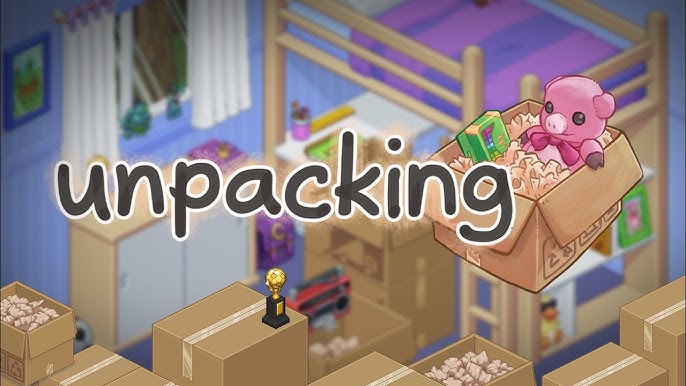
Who knew moving boxes could be so zen? In Unpacking, you’re not racing to meet a deadline or competing for a high score — you’re simply unpacking a life, one box at a time.
Why It’s Cozy
Unpacking is the ultimate digital “Marie Kondo.” There’s no pressure, no looming to-do list beyond putting your items exactly where they feel right. Every level tells a quiet, wordless story — and with every little click of a book on a shelf or a mug on the counter, you’re part of that story’s gentle unfolding. The simplicity of the mechanics and the tactile joy of organizing create a meditative atmosphere, perfect for winding down and letting your mind breathe.
Accessibility Highlights
- No time limits, no fail states — the game is built on calm and careful exploration, not performance or speed. This makes it perfect for players who need a slower, more forgiving experience.
- Clear, tactile feedback for every little click — the satisfying sounds and visual placement cues help you feel grounded and engaged without overwhelming your senses.
- Simple controls that rely mostly on point-and-click mechanics, making the game accessible for players who prefer minimal input complexity.
- Relaxing, consistent audio design — the soft, minimal music and satisfying unpacking sounds make it friendly for players who are sensitive to sudden or loud noises.
- Visual clarity — clean, minimalistic visuals ensure items are easy to spot, helping players with sensory processing challenges enjoy the game’s puzzles without feeling overloaded.
- Replay-ability This is very much a “once you know, you know” experience — beautiful and meditative, but its fixed story limits traditional replay value, unless you’re returning purely for zen.
Areas for Improvement
While Unpacking is a masterclass in soothing design, there are a few ways it could be even more inclusive:
- No text-to-speech support — while the game is mostly wordless, the occasional text prompts or achievements could benefit from narration for players with visual impairments.
- No colourblind mode — colour-coded items could be tricky for some players, especially when sorting similar shades or patterns.
- No text scaling or font customization — though text is minimal, even small bits of interface text could be easier to read with adjustable sizing.
- Limited control remapping — while the core mechanics are simple, offering more customization would help those who use assistive input devices.
Unpacking is minimalism done right — a near-perfect example of calm, nonverbal storytelling. Its accessibility is strong in spirit but basic in execution: no text scaling, no audio alternatives, and only partial remapping. But its stress-free structure and tactile design give it a unique kind of accessibility few others achieve. Unpacking is still a beautiful example of how cozy games can create profound calm in the simplest actions. It’s a gentle celebration of the spaces we create for ourselves — a digital reminder that home isn’t just where you live, but how you shape the world around you.
11. A Short Hike

A breezy, gentle adventure that proves the best journeys aren’t always the longest. In A Short Hike, you’re a little bird named Claire on a quest to reach the summit of a small mountain island — but really, it’s about discovering the joy in the journey.
Why It’s Cozy
This game is all about slowing down and soaking up the charm. From chatting with quirky animal hikers to collecting shells on the beach, every moment in A Short Hike is a chance to pause and appreciate the little things. It’s small in scope but big in heart, with sweet humor, adorable pixel art, and a soundtrack that feels like a soft breeze through the trees. It’s the perfect digital breather — a warm cup of tea for your brain.
Accessibility Highlights
- Relaxed controls — no lightning reflexes needed here. The simple mechanics of gliding, climbing, and chatting make it easy for players of all skill levels to feel at home.
- Compact, navigable world — the island is small and self-contained, with clear visual markers and gentle slopes that are easy to traverse. You’re never more than a short hop away from something interesting, making it friendly for players who find big open-world games overwhelming.
- No combat or time pressure — explore at your own pace, whether you’re sprinting to the summit or just taking in the view.
- Charming, high-contrast visuals — the bright, minimalist art style is both lovely and easy on the eyes, with no clutter to distract or overwhelm.
- Calm, consistent audio — the music is gentle and melodic, with no harsh surprises — a plus for players with sensory sensitivities.
- Replay-ability Designed to be short and sweet, it’s less about replaying the same game and more about dipping back into its relaxing world when you need a mood boost — like a digital nature walk.
Areas for Improvement
While A Short Hike is a near-perfect cozy experience, there are a few ways it could be even more inclusive:
- No text-to-speech support — while there isn’t a ton of dialogue, what’s there could benefit from narration for players who need it.
- No text scaling or font customization — the text is small and crisp, but players with visual challenges might find it tricky to read.
- No colourblind mode — while the color palette is clear and high-contrast, additional options would be helpful for players with color vision differences.
- Limited control remapping — although the controls are simple, fully customizable input would be a welcome addition for players who rely on assistive devices or unique control setups.
Charming and easygoing, A Short Hike excels at being approachable. It’s small, self-contained, and clear — perfect for players who get overwhelmed by larger, denser games. Its accessibility shortcomings (no text scaling or remapping) are more forgivable thanks to its simplicity, but it could still benefit from modernization. A Short Hike remains a bright, joyful reminder that sometimes the simplest games offer the most warmth. It’s a gentle adventure that proves cozy isn’t about scale — it’s about spirit.
12. Garden Paws
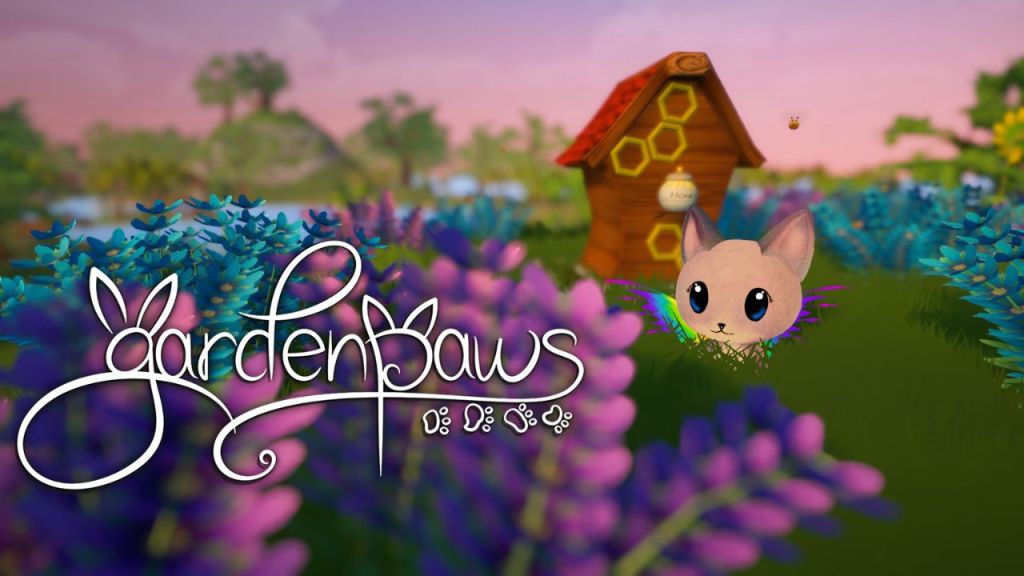
Garden Paws is your ticket to a life of gentle farming, shopkeeping, and animal-raising — all in an adorable, softly colorful world that feels like a storybook come to life. Here, you’re not just farming; you’re living out your coziest daydreams, one carrot and one fluffy bunny at a time.
Why It’s Cozy
It’s the cozy life turned up to 11: cute critters that follow you around, a shop where you can sell your wares at your own pace, and endless decorating to make your little island home your own. There’s no pressure, no combat, and absolutely no “game over” screens — just a warm invitation to grow, create, and find joy in small, daily acts of care.
Accessibility Highlights
- Adjustable game speeds let you slow down the day’s flow to your own comfort level — perfect for players who like to savor the scenery without feeling rushed.
- Flexible objectives mean there’s no “right way” to play. You can focus on farming, decorating, or simply petting your animals and watching the clouds roll by.
- Simple, intuitive controls make it easy to jump in without worrying about complex inputs or tricky timing.
- Soft, colourful visuals that are easy on the eyes and avoid overwhelming clutter — perfect for players with sensory sensitivities.
- Gentle music and ambient sounds create a calming audio environment that supports the cozy vibes without causing overload.
- Replay-ability With a steady cycle of events, animal raising, shop management, and seasonal content, Garden Paws offers replayability through long-form progression rather than resets.
Areas for Improvement
While Garden Paws is already a wonderful refuge for cozy gamers, a few areas could be improved to make it even more inclusive:
- No text scaling or font size options — the text is readable for most, but adjustable sizing would be great for players with visual challenges.
- No colourblind mode — while the visuals are gentle and clear, color-coded elements (like item sorting and plant growth) could be tricky for players with color vision challenges.
- No text-to-speech support — adding this would help players who have difficulty reading on-screen text.
- Partial control remapping — while the game’s controls are generally easy, fully customizable input mapping would make it even more flexible for different playstyles and accessibility needs.
This indie gem feels tailored for gentle souls. It lets you adjust game speed and avoid pressure entirely — a real plus. However, like many in its tier, it suffers from the usual gaps: no scalable text, no colourblind mode, and limited remapping. A cozy experience with excellent pacing, but underdeveloped UI options. Garden Paws is a sweet, sunny example of how cozy games can be both a creative outlet and a digital sanctuary. So go ahead — build your dream shop, fill your farm with cuteness, and remember: in this world, there’s always time to stop and smell the pixelated roses.
13. Potion Permit
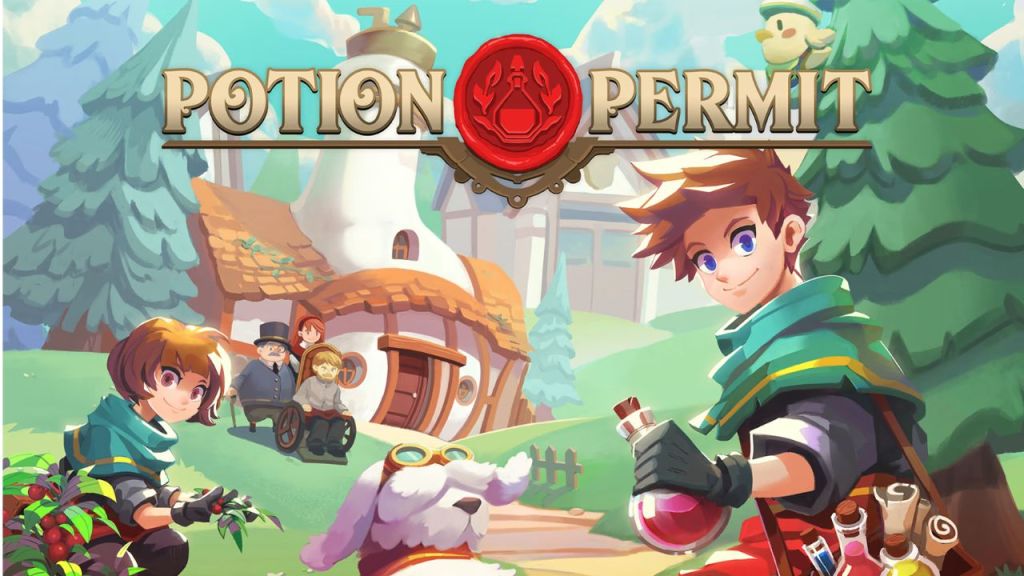
A charming blend of doctoring, potion-brewing, and community-building, Potion Permit lets you step into the shoes of the town’s new chemist. Instead of dragons or battles, your quest is to help your neighbors feel better — one carefully crafted potion at a time.
Why It’s Cozy
You’re not saving the world; you’re helping your patients feel just a bit better. From gathering ingredients in the nearby woods to chatting with townsfolk, every task has a soft, welcoming energy. It’s a game that invites you to slow down, learn the rhythms of a small town, and make things better in small but meaningful ways.
Accessibility Highlights
- Clear, accessible menus — the game’s interface is tidy and easy to navigate, reducing cognitive overload and keeping you focused on the gentle work of healing.
- Relaxed pace — there are no timers breathing down your neck, so you can take your time to find the right ingredients, chat with patients, or simply explore the cozy village.
- Gentle progression — no combat, no reaction-based quicktime events — just calm gathering, mixing, and caring for others at your own speed.
- Simple controls make it easy to navigate whether you’re playing with a mouse and keyboard, a controller, or even on handheld devices.
- Bright, colourful visuals that strike a balance between charming detail and gentle simplicity, great for reducing visual fatigue.
- Replay-ability While charming, Potion Permit is more of a single-journey game — once you’ve maxed out relationships and upgrades, replaying is less enticing unless you’re drawn to starting fresh.
Areas for Improvement
Even this cozy, healing haven has a few areas that could use a little more of that magical potion of accessibility:
- No text scaling or font size options — while the UI is clear, bigger font options would be helpful for players with visual challenges.
- No colourblind mode — colour-coded ingredients and potions could be tricky for some players without a colourblind-friendly alternative.
- No text-to-speech support — since dialogue is a key part of building relationships, adding narration would be a wonderful addition for players with reading challenges or low vision.
- Partial control remapping — while the game’s input is generally simple, full remapping would allow players who use adaptive or assistive devices to feel fully at home in their digital lab.
Potion Permit gets the gentle game loop right: slow healing tasks, simple controls, and no combat. It shares many accessibility traits with Littlewood and Garden Paws — simple and soft, but missing more advanced options like narration, colourblind support, or text adjustments. Comforting, but could use some polish. Potion Permit remains a gentle, nurturing experience — a cozy retreat where caring for others is the ultimate quest. It’s proof that sometimes, the most powerful magic is a cup of tea, a listening ear, and a well-brewed potion.
14. Littlewood
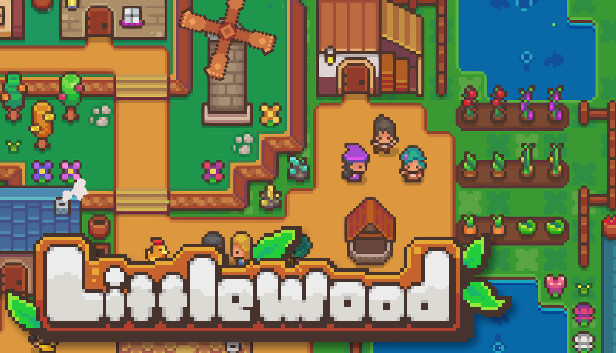
A calm life sim that asks, “What happens after you save the world?” In Littlewood, you’re the hero who’s already defeated the big bad — and now you’re left to build, decorate, and nurture a peaceful village from the ground up. It’s a gentle return to life’s simple joys, with no pressure to be anything but content.
Why It’s Cozy
There’s no combat, no looming deadlines — just you and your villagers, crafting the perfect little town. The only thing you need to worry about is where to put the next bakery or how to make your inn extra cozy. It’s peaceful, it’s sweet, and it’s the kind of digital escape that feels like coming home.
Accessibility Highlights
- Simple, intuitive interfaces make everything easy to navigate, whether you’re customizing your town layout or chatting with villagers.
- No real failure states — there’s no losing here, only growing and experimenting at your own pace.
- Relaxed, open-ended gameplay lets you choose what to do each day — farm, fish, decorate, or just wander and see what you find.
- Clear visual style that’s colourful without being overwhelming, great for players with sensory sensitivities.
- Minimal reaction-based tasks — no twitchy gameplay, just calm, considered building and exploring.
- Gentle music and soft sound effects create a cozy atmosphere without overwhelming your ears.
- Replay-ability Like Spiritfarer, Littlewood is built around a single post-hero journey — it’s lovely, but its one-plot structure limits replay unless you’re craving another relaxed build-your-own-town run.
Areas for Improvement
While Littlewood is already a warm, welcoming hug of a game, there are still some ways it could be even more accessible:
- No text scaling or font size options — while the font is generally readable, the option to adjust it would be helpful for players with visual challenges.
- No colourblind mode — colour-coded buildings and farm items might be tough to distinguish without a colourblind-friendly alternative.
- No text-to-speech support — since dialogue with your villagers is part of the fun, narration would make it easier for players with reading challenges or low vision to feel included.
- Partial control remapping — although the game’s controls are simple, having fully customizable input would make it even more inviting for players who use assistive devices.
Littlewood is what happens when you take all the pressure out of life sims. Its relaxed design and fail-free structure are a gift to anxious players. Yet it’s held back by a lack of customization in text, controls, and visuals. A cozy triumph in tone, but middling in accessibility. Littlewood is a delightful example of how cozy games can create a sense of home — not by conquering monsters, but by building a community, one friendly villager at a time.
15. Cozy Grove
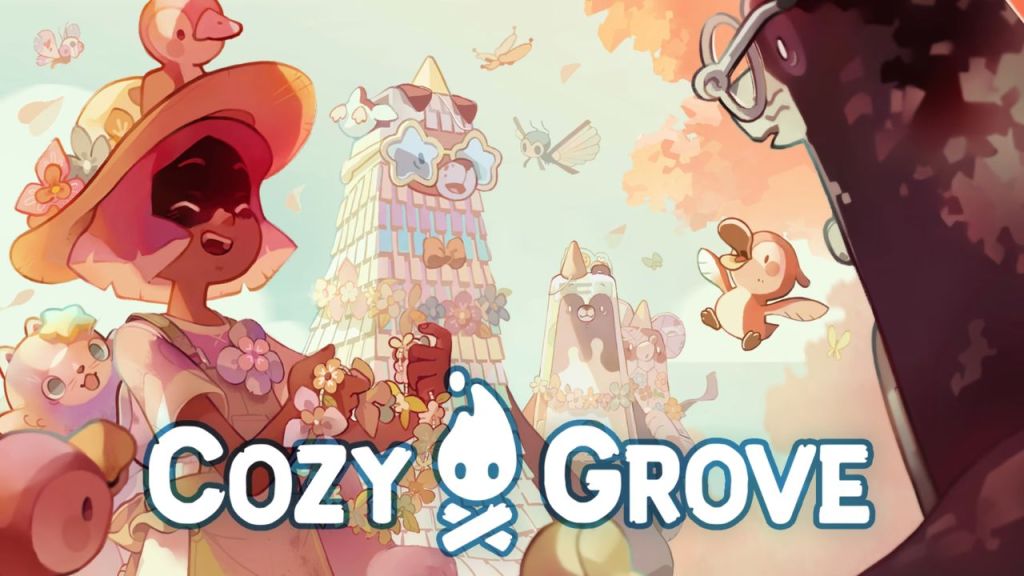
Cozy Grove is a game about helping ghostly friends find peace — and maybe discovering a bit of your own in the process. Every day, you’ll wander a charmingly haunted island, offering comfort to restless spirits with gentle tasks and small acts of kindness.
Why It’s Cozy
There’s a quiet magic to Cozy Grove. Each spirit has a story, and each day you’re invited to help them find a little more light. The game’s hand-drawn art style is whimsical and warm, and the gentle soundtrack is a perfect match for the game’s meditative pace. Like a cozy blanket for your soul, it’s a reminder that healing happens slowly, one day at a time.
Accessibility Highlights
- Daily play sessions — the game intentionally limits how much you can do in a single day. This gentle cap prevents burnout and encourages players to come back with fresh eyes and a calm heart.
- Subtle, clear visuals — the art is soft and pastel without being overwhelming, perfect for players who find too much visual noise stressful.
- Simple, intuitive controls — easy to pick up and play whether you’re using a controller or touch screen.
- No combat or reaction-based challenges — everything is about calm exploration and simple tasks, with no sudden surprises.
- Relaxed audio environment — the soundtrack and ambient sounds are soothing, creating a comforting atmosphere for players with sensory sensitivities.
- Accessible tutorials and pacing — the game introduces new mechanics slowly and gently, letting you ease into the experience without feeling overwhelmed.
- Replay-ability Cozy Grove encourages daily play and slow, cumulative growth — but it’s not meant to be restarted. Replayability comes more from the daily ritual than from new game cycles.
Areas for Improvement
While Cozy Grove excels in creating a welcoming, calm space, there are still some ways it could be even more inclusive:
- No text scaling or adjustable font sizes — the cozy dialogue might be harder to read for players with visual challenges.
- No colourblind mode — the game’s palette is gentle, but some color-coded tasks (like finding certain objects) could be tricky without alternative indicators.
- No text-to-speech support — narration for dialogue would be a lovely addition for players with reading difficulties or low vision.
- Partial control remapping — though the controls are simple, a fully customizable control scheme would make the experience even more inviting for players who use adaptive controllers or input devices.
Built around daily limits, Cozy Grove stands out for embracing burnout prevention as a feature. It also has excellent emotional pacing and simple mechanics. Still, it shares many common gaps — no text scaling, colourblind modes, or voice options. It’s cozy by design, but not quite inclusive by function. Even with these areas for improvement, Cozy Grove is a shining example of how cozy games can be both gentle and meaningful. It’s a daily reminder that the best kind of progress is the kind that feels like coming home — one cozy task, one gentle act of kindness at a time.
16. PowerWash Simulator

Who knew the path to peace could be found in a pressure washer? In PowerWash Simulator, your only mission is to scrub the world clean — one satisfying spray at a time.
Why It’s Cozy
Forget combat or farming. Here, your greatest challenge is grime. Every click of the nozzle is a tiny triumph, and every gleaming surface is a reward in itself. There’s something profoundly relaxing about this repetitive, methodical task: the gentle hiss of water, the sparkle of freshly cleaned walls, and the total absence of stakes or stress. It’s a meditative experience that’s oddly satisfying and weirdly cozy — proof that sometimes the best comfort comes from the simplest tasks.
Accessibility Highlights
- Fully customizable controls — remap every button and tweak every setting to find the control scheme that feels best for you.
- Adjustable field of view and camera sensitivity — essential for players who get motion sickness or prefer a broader or narrower view.
- Toggle for “always on” spraying — if holding down the trigger for long periods isn’t comfy, you can switch to a mode that lets you clean with a single press.
- No time pressure or fail states — clean at your own pace with no need to rush or worry.
- Bright, clean visuals — the world’s muted colors and clean lines make for a gentle, easy-on-the-eyes experience.
- Calming audio design — the soft white noise of the sprayer is strangely soothing, creating a gentle sensory space.
- No combat or complex reaction-based gameplay — perfect for players looking for a low-stress, repetitive comfort.
- Replay-ability Replayability is moderate, but meaningful — redoing levels can be deeply soothing, and for those who crave that “just one more swipe” satisfaction, it delivers. Ongoing content updates (including fun, often unexpected themed DLCs like Tomb Raider and SpongeBob) keep the experience fresh and extend the game’s cozy utility well beyond the base campaign.
Areas for Improvement
Even in this squeaky-clean haven, there are a few places where accessibility could be improved:
- No text scaling or high-contrast text options — menus and instructions are clear, but larger text would help players with visual impairments.
- No colourblind mode — while most tasks are clear, certain color-coded dirt highlights could be trickier for players with colour vision challenges.
- No text-to-speech support — even though the game is largely text-free, narration for prompts or menus would be a welcome addition for players with reading challenges.
- No alternative navigation cues for players with hearing difficulties — the audio is lovely, but adding more visual cues would make cleaning even more accessible.
Surprise! PowerWash Simulator is a standout for accessibility. It includes full control remapping, adjustable game speed, and toggle spray mode — proving that even non-cozy-coded games can offer top-tier inclusion. It still lacks visual and audio customization, but leads the list in flexibility. In spite of these small gaps, PowerWash Simulator is a testament to how even the most mundane tasks can become cozy, satisfying experiences. So turn on the hose, aim for the grime, and let the steady rhythm of water wash your worries away — one digital patio at a time.
17. Hello Kitty Island Adventure

A pastel paradise where friendship is the ultimate quest. Hello Kitty Island Adventure\ invites you to restore a whimsical island alongside beloved Sanrio characters, blending exploration, crafting, and heartfelt connections in a delightful, low-pressure environment.
Why It’s Cozy
Imagine the charm of Animal Crossing infused with the magic of Sanrio. This game offers a serene escape filled with gentle quests, adorable companions, and a world that encourages kindness and creativity. Whether you’re decorating cabins, cooking up treats, or simply sharing moments with Hello Kitty and friends, every activity is designed to soothe and delight.
Accessibility Highlights
- Risk-free gameplay No combat or failure states—just peaceful exploration and interaction.
- Guiding Light feature A helpful orb that leads you to your next objective, reducing confusion and cognitive load.
- Simple controls Intuitive inputs make it easy for players of all ages and abilities to jump in and enjoy.
- Clear visual cues Consistent colour-coding and iconography assist in navigation and task management.
- Flexible play sessions Designed for short, daily play without overwhelming the player.
- Replay-ability Like Animal Crossing, Hello Kitty thrives on long-term, low-pressure engagement. With regular content updates, new characters, seasonal events, and fresh cosmetics, the game keeps giving players gentle reasons to return. Whether you’re completing collections or just hanging out with Kuromi and Cinnamoroll, there’s always something new to explore — making it one of the most replayable cozy games out there.
Areas for Improvement
- Lack of button remapping Players cannot customize controls, which may pose challenges for those needing alternative input methods.
- No text-to-speech supportThe absence of screen reader functionality can hinder accessibility for visually impaired players.
- Inconsistent text readability Some in-game text, such as companion abilities, features low contrast and small fonts, making it difficult to read .
- Real-world time gating Certain progressions are tied to real-time days, potentially limiting accessibility for players with irregular schedules .
This pastel world leans heavily on emotional support and low-pressure play. It features a guiding orb for navigation and cozy session limits, which is fantastic. However, it lags behind in technical accessibility: no text-to-speech, no font scaling, and no remapping. It’s inclusive in heart, if not yet in interface. While these areas needing attention, Hello Kitty Island Adventure stands out as a heartwarming experience that combines the joy of friendship with the comfort of a cozy game world. It’s a gentle reminder that sometimes, the most profound adventures are the ones that warm our hearts.
The Power of Cozy in Pixels
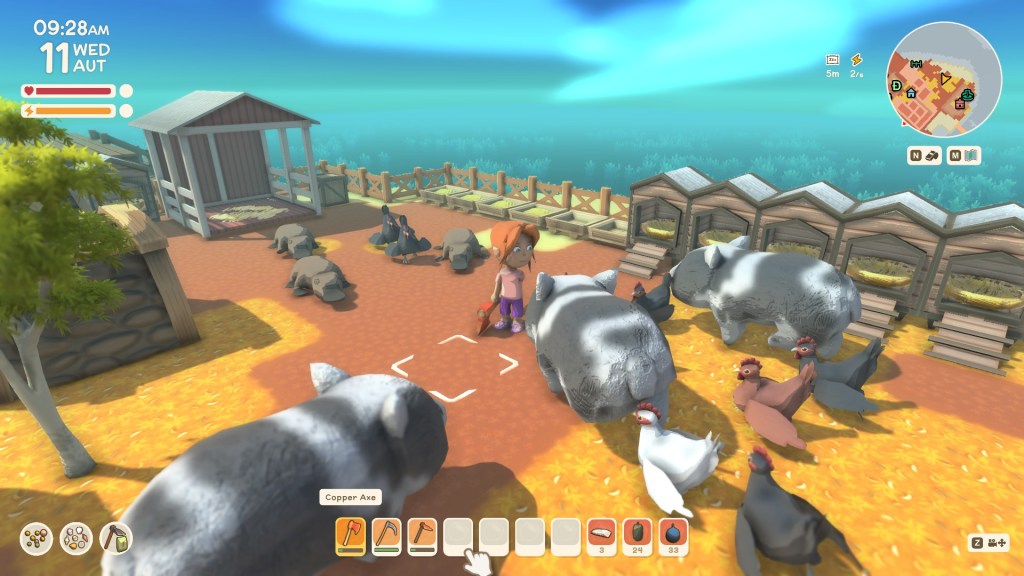
These games prove that pixels can be a sanctuary. When the real world feels too much — when the headlines are loud, and the weight of life presses down like a wool sweater in the rain — cozy games let us pause, breathe, and find solace in small digital acts. Planting a seed, chatting with a kind villager, or simply watching the pixelated sun rise over a quiet town: these seemingly small moments can feel like an anchor in a world that so often feels adrift.
Yet, it’s important to remember that cozy isn’t truly cozy unless it’s accessible. Emotional support and inclusivity go hand in hand, and these games show that clearly. Features like text scaling, customizable controls, and the ability to skip combat aren’t optional extras; they’re essential to making sure everyone can feel safe and soothed in these digital spaces.
When cozy games embrace accessibility, they become more than just charming distractions — they become lifelines. They affirm the idea that everyone, regardless of their abilities or circumstances, deserves a place to feel calm, connected, and in control. Because at the end of the day, that’s what cozy gaming is all about: a warm, welcoming digital hug that says, “You belong here. You’re safe here. And you’re always welcome back.”
Conclusion
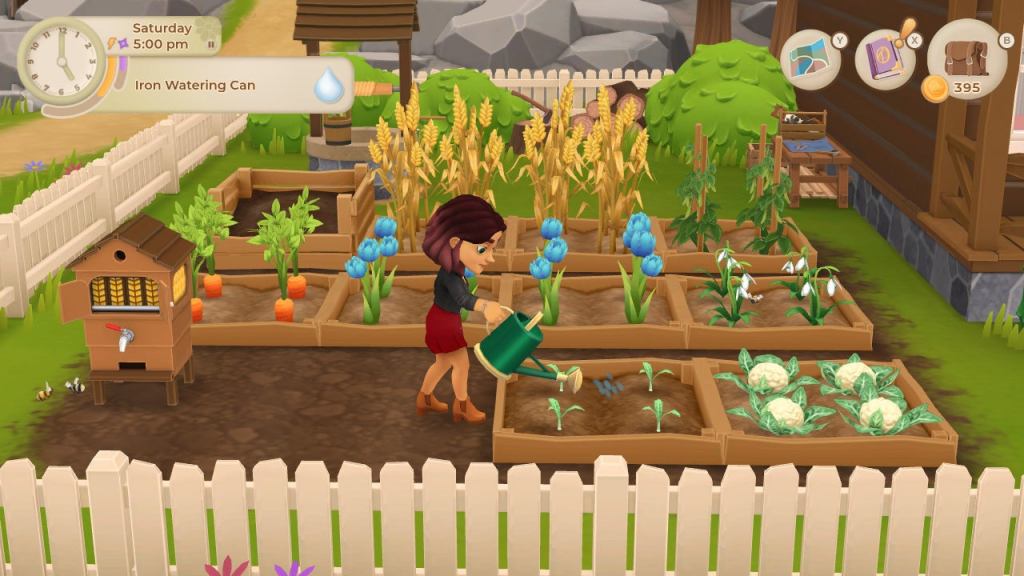
Cozy games are more than escapism — they’re a lifeline. They remind us that even in a chaotic world, there are places we can return to, places that don’t ask too much of us beyond just being. As cozy games evolve, so too does our understanding of what it means to be truly cozy. It’s not just about a charming art style or an adorable soundtrack — it’s about games that feel accessible, welcoming, and deeply supportive. It’s about digital spaces that invite everyone in, no matter their abilities, and let them find comfort on their own terms.
As we explored these cozy gems, we saw the same accessibility challenges come up again and again: the need for text scaling to help players with visual challenges, colorblind modes to make every world clearer and kinder, text-to-speech support for players who rely on audio to connect with stories, and full control remapping so that every input is as comfortable and customizable as the player themselves. These aren’t just “nice-to-haves” — they’re the heart of what makes cozy gaming inclusive and genuinely safe for all.
These games show us that healing can happen in small ways: in the repetitive rhythm of planting and watering crops, in the gentle conversations with quirky NPCs, or even in the quiet moment of arranging a virtual room just so. And perhaps that’s the most radical thing about cozy games: they validate the idea that slow and soft can be just as powerful as fast and flashy.
So pick your favorite, sink into that digital quilt, and remember — comfort is only a click away. Because in the end, cozy gaming isn’t just about pixels and gameplay. It’s about creating a space where you can take a breath, be yourself, and know that you’re not alone.
Here’s to more cozy games, more accessibility, and more little pockets of joy — because we all deserve them.
Consider supporting me through Tips or Patreon. Your support on Patreon or through tips makes a huge difference for us! By becoming a patron, you’re not just supporting the show—you’re joining our community. Patreon contributions help cover production costs, equipment upgrades, and even lets us spend more time researching and bringing you the quality content you love. Tips through Squarespace is another awesome way to show your appreciation and help us with day-to-day expenses.

 Pixels and cocoa
Leave a comment